
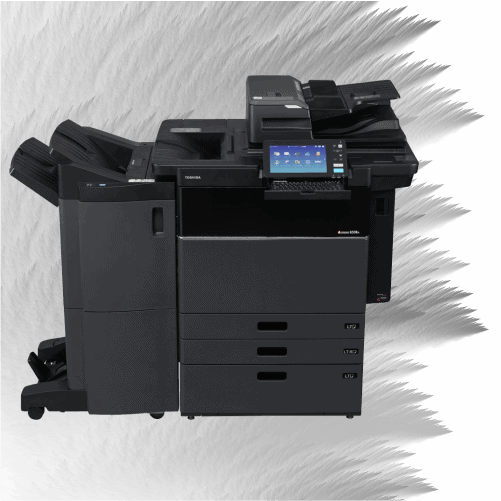
The honest answer comes down to one thing: how much you print. Under about 1,500 to 2,000 pages a month, buying a desktop printer is usually fine. Above that, you need a commercial copier — and for most offices, renting one all-inclusive costs less and breaks less than buying it outright. Leasing is a third path, but it locks you into a three-to-five-year term most small offices don't need.
"Rent vs. lease vs. buy" gets treated like one decision, but it's really two: first, what class of machine your volume requires — then, how to pay for it. Get the volume question right and the rest follows.
Step 1: Let your print volume pick the machine
Volume decides whether you need a desktop printer or a commercial copier — before cost even enters the picture.
Under ~1,500–2,000 pages a month: a desktop laser printer can genuinely handle it. If that's you, buying a $300–$500 machine is reasonable, and you don't need us.
Over ~2,000 pages a month: a consumer desktop starts to struggle — jams, worn parts, and toner costs that climb fast. Desktop toner can run 5 to 30 cents a page; commercial toner is a fraction of that. At real volume, a cheap printer quietly gets expensive.
Step 2: For a commercial copier, how should you pay?
Once you need a commercial machine, the choice is rent, lease, or buy. Here's the honest comparison.
| Buy | Lease (3–5 yr) | Rent (all-inclusive) | |
|---|---|---|---|
| Upfront cost | High (thousands) | Low | None |
| Commitment | You own it | 3–5 year contract | 12-month term |
| Toner & parts | You buy | Often separate | Included |
| Service/repairs | Your cost | Sometimes separate | Included, same-day |
| Flexibility | Stuck with aging gear | Locked in for years | Adjust or upgrade |
| Best for | Very low volume + capital | Large orgs, long horizon | Small offices wanting flat cost + no lock-in |
Rent isn't the same as lease
Renting and leasing get lumped together, but they're different. A lease is a multi-year financing contract, often with supplies and service billed separately, and it's hard to exit. An all-inclusive rental is a flat monthly rate that already includes toner, parts, and service, on a short 12-month term. For a small office that wants predictable cost and no five-year commitment, renting is usually the better fit — you get the commercial machine without the lease trap.
So what should you do?
- ✓ Print under ~2,000 pages a month → buy a desktop printer. You're set.
- ✓ Print over ~2,000, want low upfront cost, service handled, and no long lock-in → rent all-inclusive.
- ✓ Large organization, long horizon, in-house IT to manage supplies → a lease may fit.
This honesty is the point: renting wins in a specific, real situation — not for everyone. That's what makes it trustworthy.
Frequently Asked Questions
Is it better to rent or buy an office copier?
For a small office printing over ~2,000 pages a month, renting all-inclusive usually beats buying — no upfront cost, and toner and repairs are included. Under that volume, a desktop printer you buy is often enough.
What's the difference between renting and leasing a copier?
A lease is a multi-year contract, often with service and supplies billed separately. An all-inclusive rental is a flat monthly rate covering toner, parts, and service on a short 12-month term.
At what print volume should I stop using a desktop printer?
Generally around 1,500–2,000 pages a month. Above that, a commercial copier handles the load better and costs less per page.
How much does renting a commercial copier cost?
For a small office, about $209.99/month black-and-white or $259.99/month color, all-inclusive.
Printing more than a desktop can handle?
Get a flat-rate quote in about a minute, or call (832) 834-7549.